Connect CreatorTraffic to OnlyFans API Smart Links
Connect your CreatorTraffic ad account to OnlyFans API Smart Links to automatically postback subscriber conversions and see which CreatorTraffic campaigns drive subscribers.
What the CreatorTraffic integration does
CreatorTraffic is a traffic source for OnlyFans media buyers. This integration reports new subscribers attributed through a configured OnlyFansAPI Smart Link back to CreatorTraffic.
Why connect it? Once connected, OnlyFansAPI reports each attributed new subscriber with a captured CreatorTraffic click ID. No JavaScript is installed on OnlyFans, and the connection uses one CreatorTraffic API token.
Watch the walkthrough
Step-by-step setup
Open your CreatorTraffic settings
Go to ads.creatortraffic.com/settings and choose Settings from the sidebar.
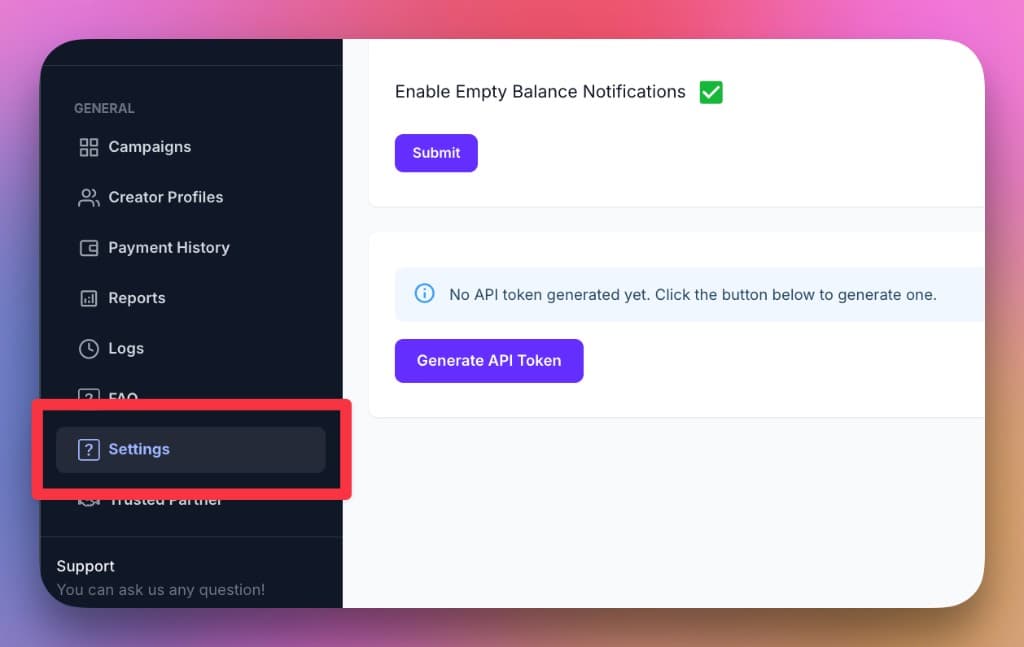
Generate and copy your API token
In API Access, click Generate API Token, then copy the token.
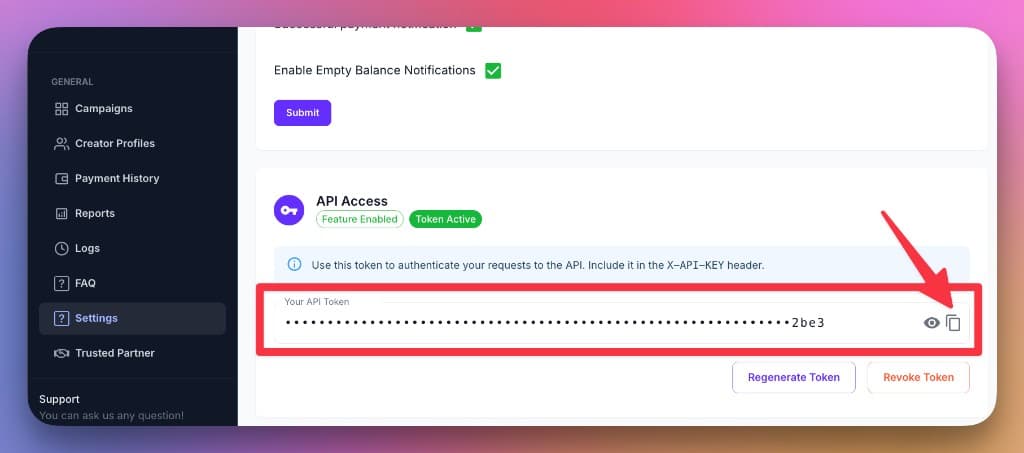
If the Generate API Token button is unavailable, ask your CreatorTraffic account manager to enable API access on your account.
Connect it in OnlyFans API
First open Smart Links → Traffic Sources and create a CreatorTraffic source with an utm_source rule equal to creatortraffic. See Traffic sources for the matching workflow.
Then open Smart Links → Tracking Pixels, click Add Pixel, select CreatorTraffic, and paste the token into API Token. Choose Specific traffic sources, select CreatorTraffic, and click Create.
Finally, open Smart Links → Links, edit the Smart Link, and select the CreatorTraffic connection in Tracking Pixels. A pixel created from the Tracking Pixels page is not attached to a Smart Link automatically.
Add the click ID to your Smart Link URL
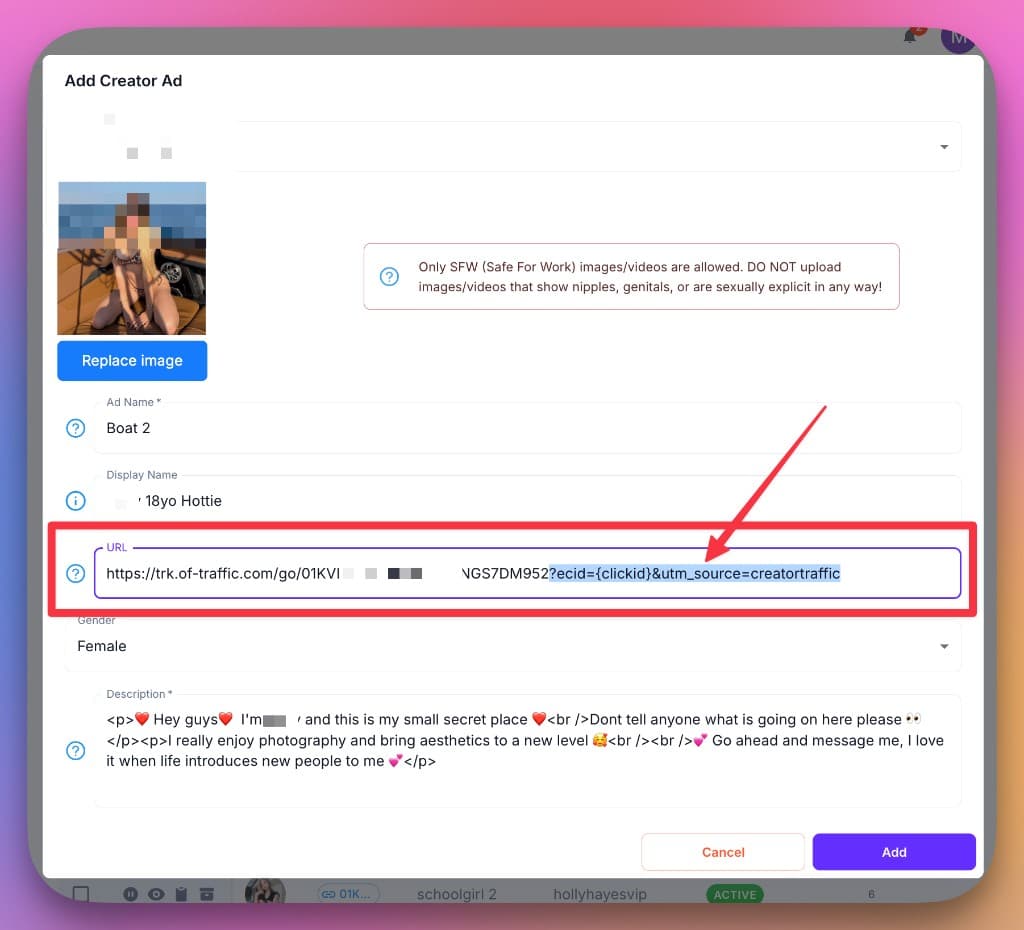
Copy your Smart Link and append CreatorTraffic's click-ID parameters to the ad's destination URL so each conversion can be matched back to the click that drove it:
https://trk.of-traffic.com/go/YOUR_SMART_LINK_ID?ecid={clickid}&utm_source=creatortrafficReplace YOUR_SMART_LINK_ID with the ID from your Smart Links dashboard. CreatorTraffic replaces {clickid} with the click's ID at click time, and Smart Links reads it from the ecid parameter. Each attributed new-subscriber conversion sends that ID back to CreatorTraffic. The utm_source=creatortraffic value matches the traffic-source rule described above. Keep both parameters on the URL.
{clickid} must be placed where CreatorTraffic controls the URL so it can replace the macro. If you use a landing page or pre-lander between CreatorTraffic and the Smart Link, it must forward both ecid and utm_source. Built-in Smart Links pre-landers forward these parameters; an arbitrary link-in-bio page may not.
You're done
New subscribers attributed to that Smart Link are now postbacked to CreatorTraffic using the click ID. They'll show up against the matching campaign in your CreatorTraffic reports.
Connect your Snapchat Pixel to OnlyFans API Smart Links
Send configurable Smart Link click, subscription, purchase, and reply events to Snapchat through its server-side Conversions API.
Connect Keitaro to OnlyFans API Smart Links
Report OnlyFans subscription conversions back to Keitaro via Smart Links postbacks, so each new subscriber is attributed to the Keitaro click that drove it.