Workflows
Set up ready-made scheduled tasks in one click — pick a workflow, choose where it reports, and it runs on a schedule.
Workflows are pre-built scheduled tasks — the fastest way to get value without writing a prompt from scratch. Pick one, choose where it should report, and it runs on a schedule. Each is built on a skill, so the output is tuned for the job.
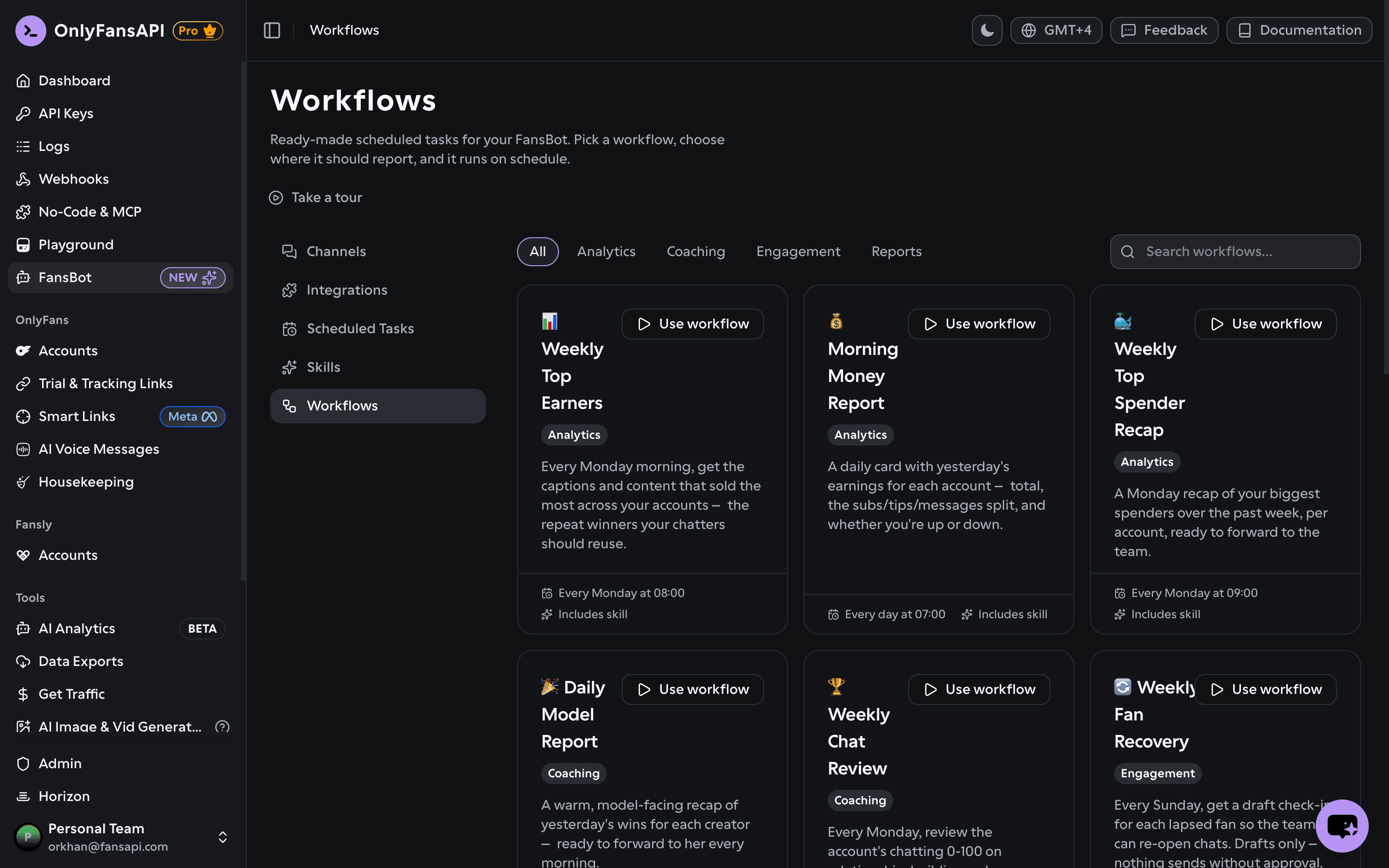
Use a workflow
In your OnlyFansAPI dashboard, open FansBot → Workflows. Browse by category (Analytics, Coaching, Engagement, Reports) or search. Each card shows what it does, its suggested schedule, whether it includes a skill, and any apps it requires.
Click "Use workflow"
This opens the task form, pre-filled with the workflow's name, prompt, and suggested schedule. You can tweak any of it.
Choose where it reports
Pick the connection (which channel delivers it) and the destination on that channel. You need at least one channel connected — the Use workflow button is disabled until you do.
Connect any required apps
Some workflows need an integration first — for example, Weekly Earnings → Google Sheets needs Google Sheets. The form shows what's missing and a Connect button for each, and won't let you create the task until they're connected.
Create it
Submit, and the workflow becomes a regular scheduled task. Manage it from the Scheduled Tasks tab like any other.
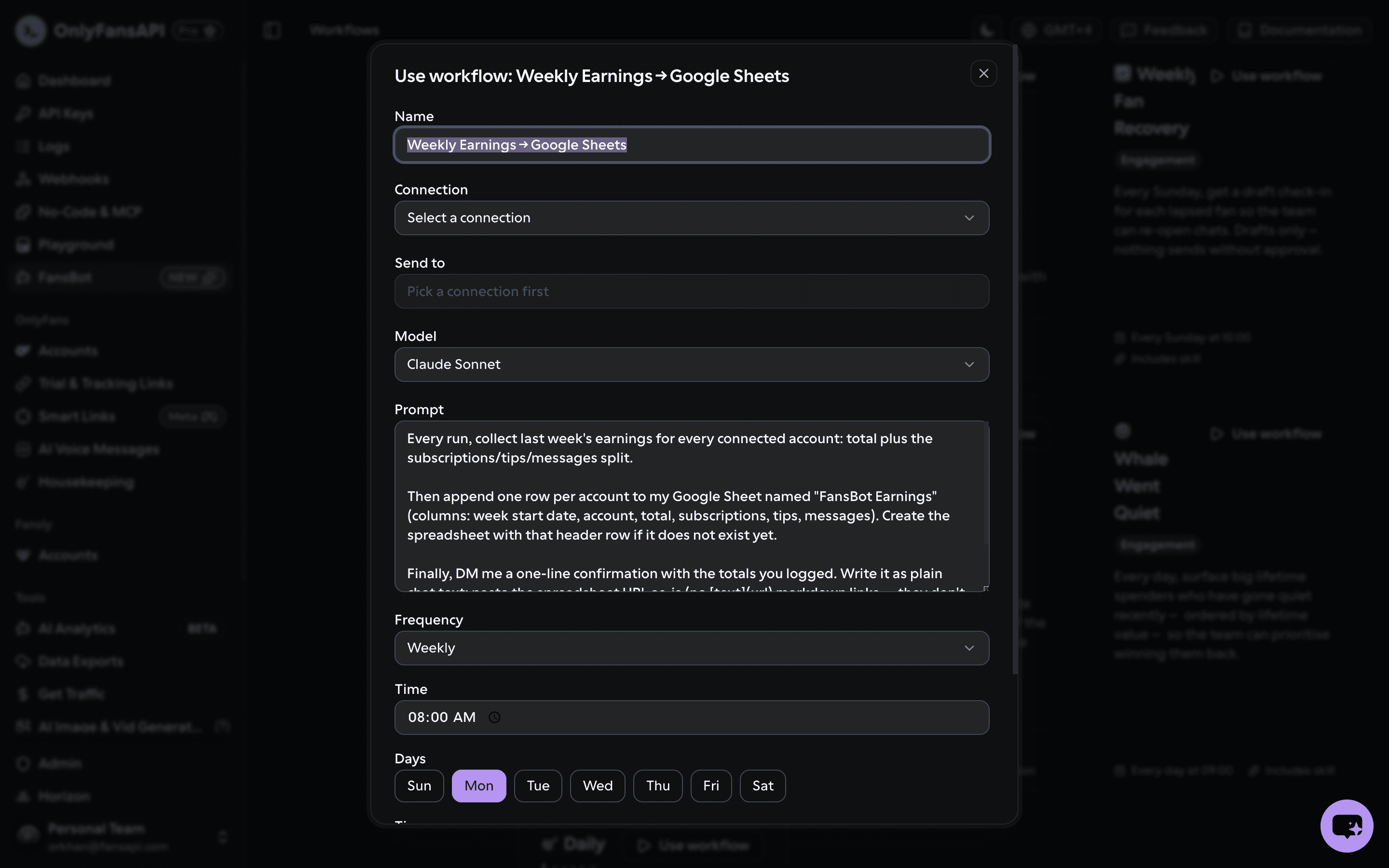
A workflow is just a starting point — once created it's an ordinary scheduled task, so it uses credits on each run, billed to the model you pick.