Add an integration
Connect the apps you already use so FansBot can read and act on them in chats and scheduled tasks.
Integrations let FansBot work with the other tools you use. Connect apps like Google Sheets, Gmail, Notion, Google Calendar, Airtable, HubSpot, or Stripe, and FansBot can read from and act on them — both in live chats and in scheduled tasks.
Connect an app
In your OnlyFansAPI dashboard, open FansBot → Integrations in the sidebar.
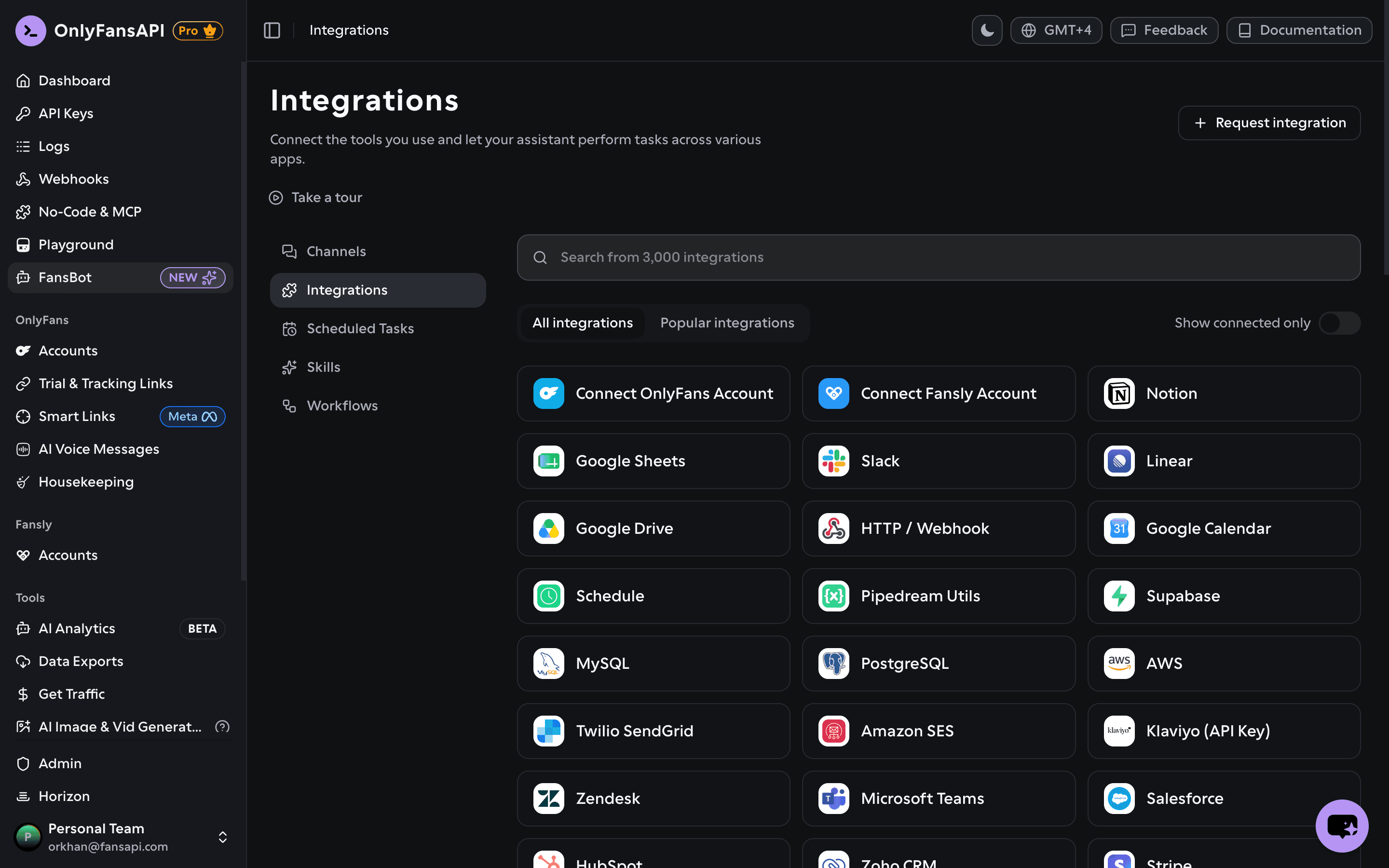
Find the app
Search the catalog — there are 3,000+ apps to choose from — and pick the one you want. Switch to Popular integrations to see the most-used ones, or flip on Show connected only to see just the apps you've already connected.
Choose team or personal, then connect
Pick Connect a team account (everyone on your team can use it) or Connect a personal account (just for you), then authorize FansBot to access it. You can connect one of each per app.
Confirm it's connected
The app now shows it's connected, tagged Team or Personal.
Team vs. personal accounts
A team integration is shared — anyone on your team can use it through FansBot. A personal integration is just for you. When someone chats with a FansBot channel, it can use your team's shared integrations plus the personal integrations of whoever set that channel up.
Can't find an app?
Click Request integration at the top of the page to tell us which app you'd like, and we'll look into adding it.
Use it in chat
Once an app is connected, just ask FansBot to use it:
- "Add my top 10 fans this month to a Google Sheet."
- "What's on my calendar today?"
- "Draft an email to my VA with this week's numbers."
FansBot figures out which connected app to use and — for anything that writes or sends — confirms with you before going ahead.