Skills
Install curated skills that teach FansBot how to handle specific jobs — from earnings recaps to ad reviews.
Skills are curated playbooks that teach FansBot how to handle a specific job well — a weekly earnings recap, a top-spender breakdown, a Google Ads audit, and so on. Install the ones you want, and FansBot follows them automatically whenever a chat or scheduled task calls for it. Installed skills apply across all your team's channels.
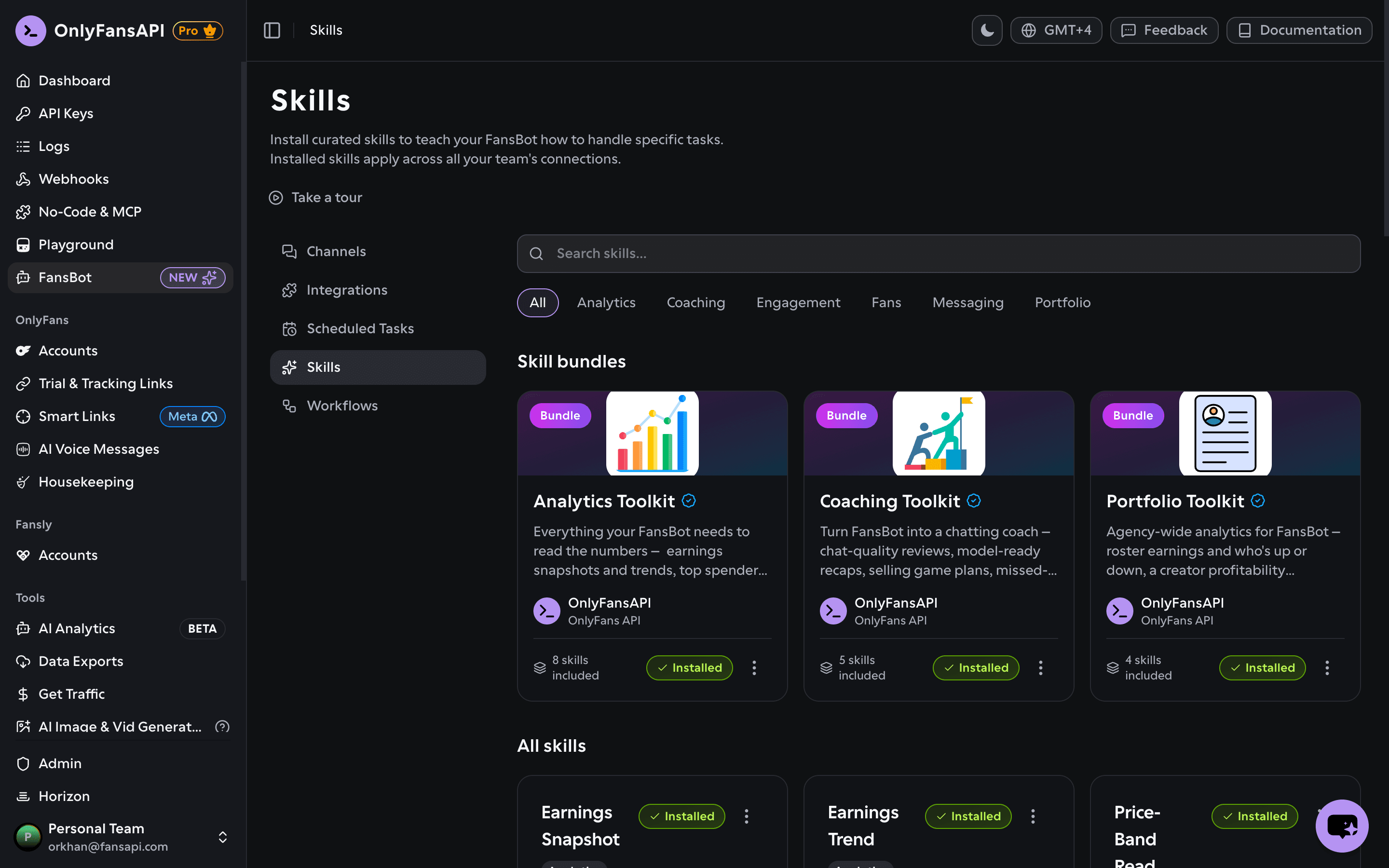
Install a skill
In your OnlyFansAPI dashboard, open FansBot → Skills. Search the catalog or filter by category (Analytics, Coaching, Engagement, Fans, Messaging, Portfolio, and more), then click Install on any skill. Each card shows the skill's name, category, a short description, and tags.
To stop using one, open its menu and choose Remove — FansBot stops using it for your team, and you can re-install it any time.
Skill bundles
A bundle is a curated set of related skills you can install in one click — a fast way to teach FansBot a whole area at once. Bundles appear at the top of the Skills page, each showing how many skills it includes.
- Install bundle adds every skill in the set.
- Open a bundle to see Skills in this bundle and install or remove them individually.
- Remove bundle uninstalls every skill in it — including any you also installed on their own or through another bundle.
Skills don't cost anything to install. They only shape how FansBot works — you're still billed credits for the messages and tasks that use them.