Subscribing to webhooks
Listen to events from your OnlyFans accounts on your webhook endpoint so your integration can automatically process data.
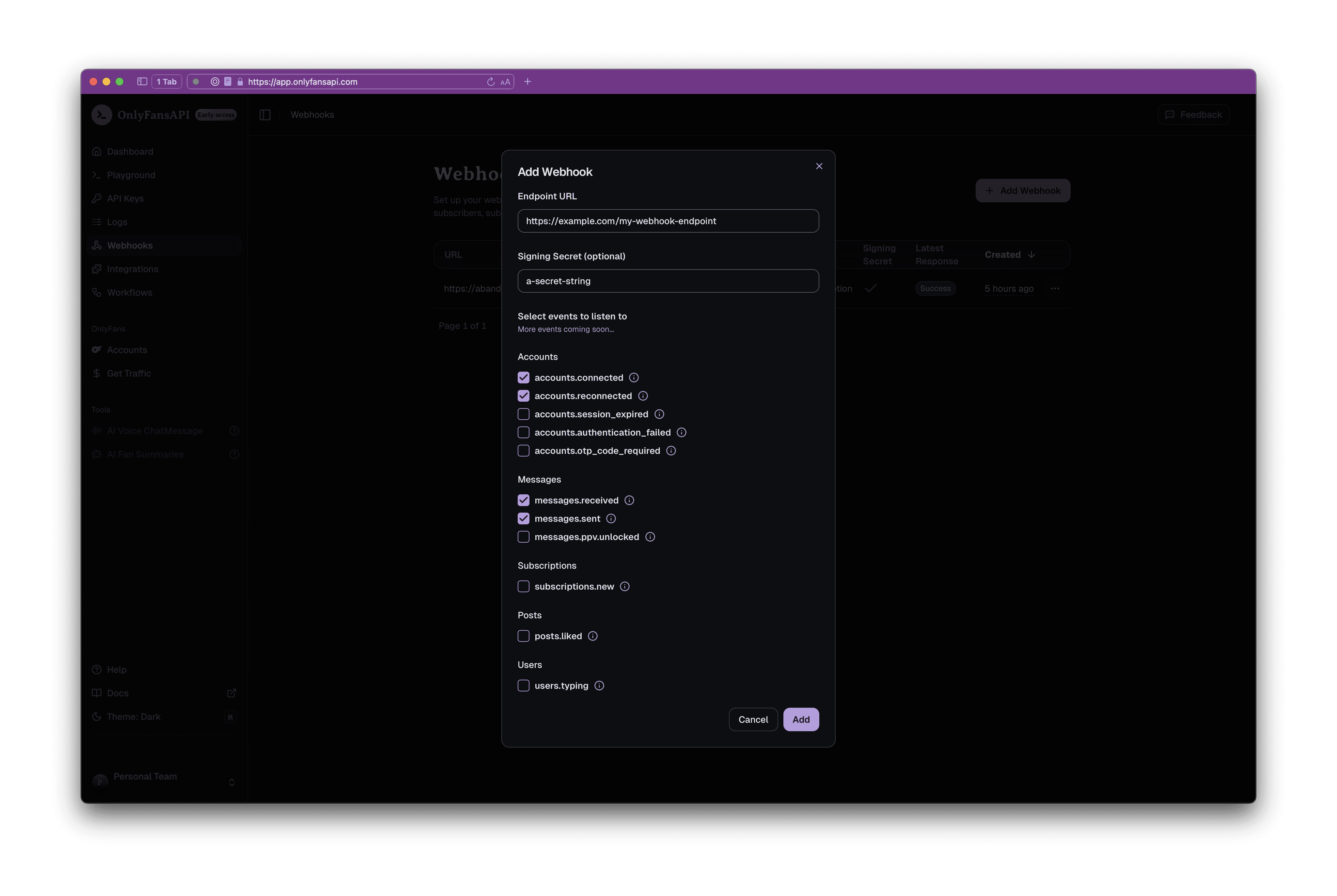
You can easily subscribe to webhooks using our console. To do this, follow these steps:
- Go to the OnlyFans API Console -> Webhooks
- Click on the + Add Webhook button
- Fill in the Endpoint URL field with your webhook endpoint
- Optionally, add a Signing Secret to verify the webhook payloads (recommended)
- Select the events you want to subscribe to. See the OnlyFans events, Fansly events and Fanvue events
Don't see the Fansly events?
Fansly events (prefixed with fansly.) only appear once your team has a connected Fansly account.
Don't see the Fanvue events?
Fanvue events (prefixed with fanvue.) only appear once Fanvue is enabled for your team. We're rolling it out team by team, as described in the Fanvue API overview.
One platform per webhook
A webhook's events must all come from the same platform. To receive events from more than one of OnlyFans, Fansly and Fanvue, add a webhook for each.
Once you have added your webhook, you will start receiving events on your webhook endpoint. You will be able to view the latest response status in the console.
Next steps
Before you go live, read Delivery & retries — it covers the timeouts your endpoint has to respond within, the retry schedule, how to deduplicate events, what happens to an endpoint that keeps failing, and how to inspect or replay past deliveries.
Introduction
Listen to events from your OnlyFans, Fansly and Fanvue accounts on your webhook endpoint so your integration can automatically process data.
Delivery & retries
How OnlyFans API sends webhook events to your endpoint, when a delivery is retried, what happens to endpoints that keep failing, and how to inspect or replay past deliveries.